
Getting more Google reviews can feel like a bit of a puzzle. You know they’re important for your business, helping people find you and trust you. But how do you actually get more people to leave them? It often comes down to making it super easy for your happy customers to share their thoughts. That’s where a good google review qr code generator comes in handy, turning a simple scan into a valuable review.
Getting more Google reviews might seem like a chore, but it doesn’t have to be. In today’s world, online reviews are practically a digital handshake for your business. Think about it: when you’re looking for a new cafe or a reliable plumber, where do you turn first? Most likely, Google. And what sways your decision? The reviews, of course.
This is where things get interesting. A Google Review QR code generator is like a shortcut for your customers. Instead of them having to search for your business on Google and then find the review section, they can simply scan a code. This takes them straight to the page where they can leave feedback. It’s a small change that makes a big difference. For example, a local bakery in Brighton found that by placing small, branded cards with QR codes on their counter, they saw a noticeable increase in reviews within weeks. Customers, especially those who’d just enjoyed a lovely pastry, were happy to leave a quick rating on their way out. This simple step helped them stand out against competitors who weren’t actively collecting reviews.
More reviews mean better visibility. Google uses reviews as a key factor in its search rankings. The more positive reviews you have, the higher you’re likely to appear when people search for businesses like yours in your area. Imagine a local florist in Manchester. With a strong set of positive Google reviews, they’re more likely to show up first when someone searches for "florist near me." This direct visibility translates into more foot traffic and more sales. It’s not just about looking good; it’s about being found.
We all know that happy customers are the best kind, but they don’t always remember to leave a review. Life gets busy! That’s where making the process as easy as possible comes in. Think of it like a well-designed Hallmark card – it’s thoughtful and makes a connection. Providing a simple QR code on a card, perhaps given out after a service or included with a purchase, removes the friction. A small independent bookshop in Edinburgh started handing out cards with their purchases. They found that customers who received a card were much more likely to leave a review later that day, simply because the prompt and the link were right there. It’s about capturing that positive feeling while it’s still fresh.
The easier you make it for someone to leave a review, the more likely they are to do it. It’s that simple.
Here’s a quick look at how easy it can be:
This streamlined approach means you’re not relying on customers remembering to search for you later. It’s about seizing the moment and making it effortless for them to share their positive experience. This is a key part of setting up your Google My Business profile effectively.
So, what exactly is this Google Review QR Code Generator we keep talking about? Think of it as a digital shortcut, a way to make it super simple for your customers to share their thoughts about your business online. It’s a tool that creates a unique QR code, which is basically a scannable barcode. When someone points their phone camera at it, it instantly takes them to your Google review page. No more fumbling around searching for your business on Google; it’s a direct route to leaving feedback. This tool simplifies the process for customers to leave feedback.
It’s pretty straightforward, really. You get a special QR code generated, often personalised with your business details. You can then put this code on anything – a card you hand out, a sticker on your counter, or even on your receipts. A happy customer, perhaps after a great meal at a local pub like The Dog & Duck in Kent, might be handed a small card with the QR code. They scan it with their phone, and boom – they’re on your Google review page, ready to share their positive experience. This direct link means fewer people drop off halfway through trying to find you.
Using a generic QR code is a bit like using a plain business card – it does the job, but it doesn’t really say much about you. A bespoke QR code, however, is tailored to your business. It can include your logo, your business name, and sometimes even a friendly message. This personal touch makes it feel more professional and trustworthy. For example, ‘The Little Bookshop’ in Brighton found that customers were more likely to scan a card with their logo on it, leading to a noticeable increase in reviews. It’s not just about getting a review; it’s about reinforcing your brand identity at the same time. This makes the whole experience feel more connected and less like a generic request.
A well-designed QR code generator doesn’t just create a code; it creates an opportunity. It bridges the gap between a satisfied customer and a valuable online review, directly impacting how easily new customers can find you.
Consider a local bakery, ‘Crumbly Delights’ in York. They started using custom review cards with their logo and a simple message: "Loved your pastry? Let us know!" They found that customers were more inclined to scan the code and leave a review, especially when they mentioned it at the counter. This led to a 20% increase in their Google reviews within the first month, pushing them higher in local search results for "best bakery York."
It’s a simple truth: happy customers are your best advertisers. But getting them to share their positive experiences online can sometimes feel like a challenge. That’s where making the process as easy as possible comes in. Think about a local bakery, ‘The Flour Pot’, in Brighton. They started handing out small, nicely designed cards with their coffee orders. These cards had a QR code. When a customer scanned it, it took them straight to The Flour Pot’s Google review page. Suddenly, those customers who’d just enjoyed a lovely croissant and flat white could leave a quick review right there and then, without any fuss. This simple step turned satisfied customers into vocal advocates for the bakery.
Online reviews aren’t just nice to have; they’re a big deal for how visible your business is. Google, for instance, uses reviews as a key factor in its search rankings. Imagine two similar cafes in Manchester. One has a handful of reviews, some good, some not so great. The other has dozens of glowing 5-star reviews. Which one do you think Google will show first when someone searches for ‘best coffee near me’? It’s likely the one with the stronger online reputation. This increased visibility can mean more people walking through the door. For example, a small independent bookshop in Edinburgh found that after implementing review cards, their Google Maps ranking improved significantly, leading to a noticeable increase in foot traffic from people searching locally.
Making it easy for customers to leave a review is half the battle. Traditional methods, like asking someone to search for your business online and then find the review section, can be a bit of a faff. A review card with a QR code cuts out all that searching. It’s a direct route. Consider a boutique hotel in the Cotswolds. They placed a small, elegant card on each bedside table. It politely asked guests to share their stay experience and provided a QR code. Guests could scan it with their phones before checking out, while their experience was still fresh. This led to a surge in positive reviews on platforms like TripAdvisor and Google, building trust and encouraging future bookings. It’s about removing any friction so that a positive experience can easily translate into a positive online comment.
Here’s a quick look at how review cards simplify things:
The goal is to capture positive sentiment when it’s strongest, making it effortless for the customer and highly beneficial for your business’s online presence. This proactive approach helps build a more robust and trustworthy online profile.
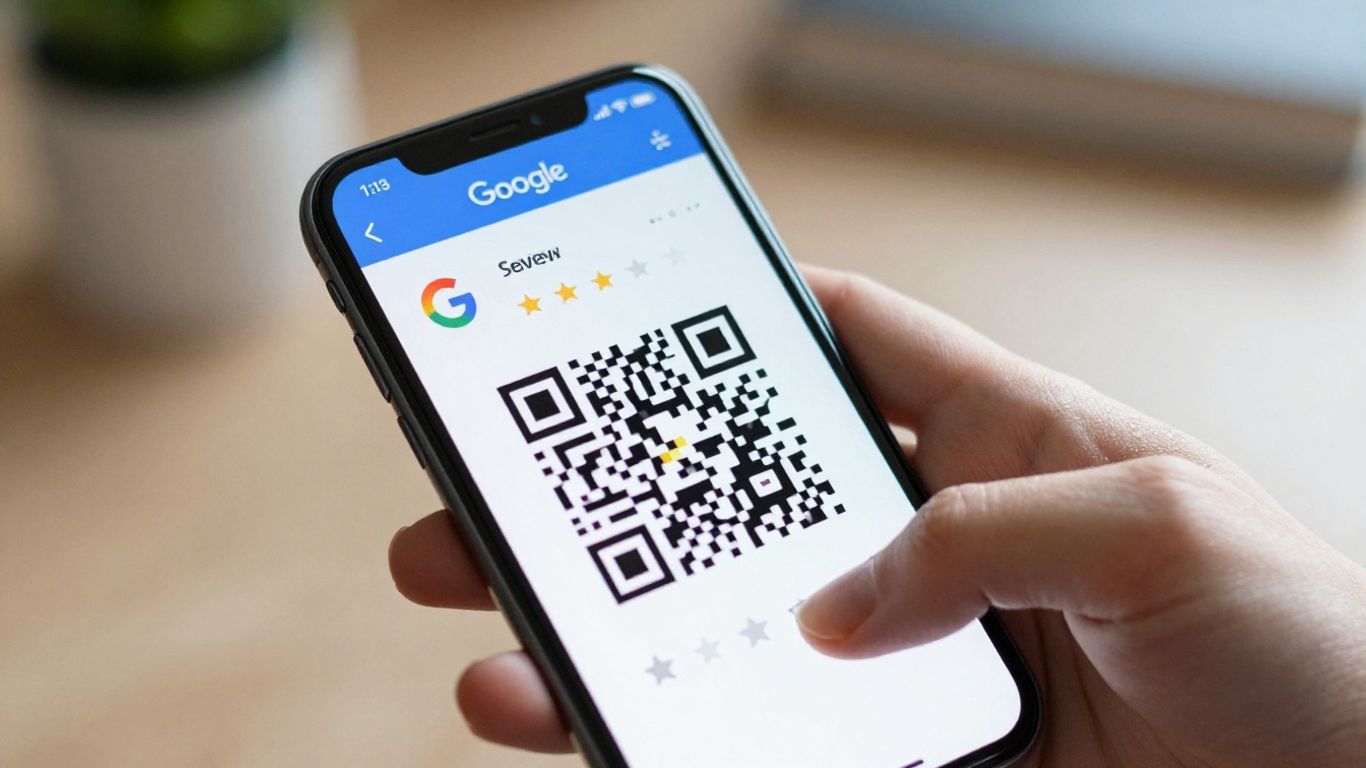
So, you’ve decided to make getting customer feedback a bit more straightforward. That’s a smart move. Review cards are essentially like a business card, but with a very specific purpose: to make it incredibly easy for your happy customers to leave you a review. Think of them as a little nudge, a polite reminder that their opinion matters and can really help your business.
When you’re thinking about designing your review cards, it’s all about making them clear and useful. You’ll want your business name and logo front and centre, of course. But the real magic is the QR code. This is what takes your customer straight to your Google review page, cutting out all the searching. It’s like a direct express lane to a 5-star rating. Some businesses, like local cafes in Brighton, even add a little space for the server’s name. This personal touch can make customers feel more connected and more likely to leave a specific, positive comment.
Here’s a quick look at what makes a good review card:
Ordering your cards is usually a pretty simple process. Most services will handle the design work for you, providing proofs so you can check everything is just right before they go to print. You’ll typically upload your logo, and they’ll create the bespoke QR code that links directly to your Google Business Profile. It’s worth noting that you don’t need to share your Google login details; the providers will find the correct link for you. Many companies offer free delivery, which is always a nice bonus.
For example, a small independent bookshop in York found that by ordering 500 personalised cards, they could hand them out after each sale. Within a month, they saw a noticeable increase in their Google reviews, which they directly attributed to the ease the cards provided.
This is where the real impact happens. It’s not just about having the cards; it’s about using them effectively. The best time to hand out a review card is when a customer is expressing satisfaction. If someone compliments your service, that’s your cue! A friendly "Thank you, we really appreciate that! If you have a moment, we’d be grateful if you could share your experience on Google" followed by handing them a card, can make all the difference.
Think about a busy pub in Manchester. They started giving out review cards with the bill. Customers who had enjoyed their meal or the atmosphere could simply scan the code before leaving. This simple step helped them climb the local search rankings, making them more visible to people searching for ‘pubs near me’.
The goal is to make the review process so effortless that customers feel compelled to share their positive experiences. It’s about turning a moment of satisfaction into a lasting online endorsement for your business.
It’s a numbers game, really. The more cards you distribute to happy customers, the more reviews you’re likely to receive. Don’t be shy about asking; if you’ve provided great service, you deserve a great review. You can even find services that offer dual-platform cards, allowing customers to leave reviews on Google and TripAdvisor or Trustpilot simultaneously, broadening your online presence even further. For businesses looking to streamline this process, exploring a dedicated Google Review QR Code generator can simplify the creation and management of these valuable tools.
So, you’ve got your shiny new review cards, but how do you make sure they’re actually working hard for you? It’s not just about having them; it’s about using them smartly. Think of it like having a great tool – you need to know how to wield it effectively.
The best time to ask for a review is when the customer’s experience is still fresh in their mind. This is often right after they’ve received your service or product. For example, a local cafe in Brighton, ‘The Daily Grind’, found that handing out review cards with their takeaway coffee orders led to a noticeable uptick in daily reviews. They simply trained their baristas to offer a card with a friendly ‘Hope you enjoyed your coffee! If you have a moment, we’d love to hear your thoughts online.’
Your staff are on the front lines. Empowering them to be review advocates can make a huge difference. Many UK businesses, like ‘The Old Oak Inn’ pub, have seen great results by personalising review cards. They have a space for the server’s name, encouraging customers to mention their server if they had a particularly good experience. This not only prompts reviews but also boosts staff morale and can even help track service quality. They found that when customers could name-check their server, they were more likely to leave a positive review on Google.
It’s important to keep an eye on how your review generation efforts are paying off. Don’t just hand out cards and forget about them. Regularly check your Google Business Profile to see the number of new reviews coming in. You might even want to track which staff members are getting mentioned most often, or if certain times of day yield more reviews. This data helps you refine your strategy. For instance, a small independent bookshop in Edinburgh noticed that reviews increased significantly on days they actively reminded customers at the till. They started a simple spreadsheet to track daily review numbers, correlating it with card distribution, and found a clear link.
Here’s a simple way to visualise your progress:
| Month | Cards Distributed | New Google Reviews | Average Rating |
|---|---|---|---|
| January | 500 | 25 | 4.7 |
| February | 650 | 40 | 4.8 |
| March | 700 | 45 | 4.9 |
Consistent effort with your review cards, combined with excellent customer service, is the key to building a strong online reputation. It’s about making it as easy as possible for happy customers to share their positive experiences, which in turn, helps attract even more customers.
By making review collection a natural part of your customer service, you’re not just asking for feedback; you’re building trust and visibility for your business. This approach helps you get more Google reviews and stand out from the competition.
It’s tempting to think any old QR code will do the job, but when it comes to collecting reviews, generic just doesn’t cut it. Imagine a customer has just had a fantastic experience at your cafe in Brighton. You hand them a plain QR code. Where does it lead? To your homepage? A generic survey? They might just give up. A dedicated generator, however, creates a QR code that goes straight to your Google review page. This makes it incredibly simple for happy customers to share their thoughts while the experience is still fresh in their minds. Think of it like giving someone a direct, express lane to tell you how great you are, rather than making them navigate a maze.
Using a dedicated generator means your review cards aren’t just functional; they’re a mini-advertisement for your business. You can include your logo, business name, and even your phone number. For example, ‘The Old Oak Inn’ in the Cotswolds uses cards with their distinctive oak tree logo and contact details. This not only looks professional but also serves as a handy reminder for customers. If they loved their meal, they have your details right there to book again or recommend you. It’s about making the entire interaction smooth and memorable, turning a simple request for a review into a positive brand touchpoint. This approach helps build trust and makes it easier for customers to find you online.
Getting your hands on these specialised review tools should be straightforward. A good generator handles the technical side, like creating the unique QR code and shortening the link, so you don’t have to. You can often upload your logo and choose a design that matches your brand. For instance, a small independent bookshop in Edinburgh might opt for a card with a classic, literary feel, complete with their name and a QR code leading directly to their Google reviews. The process is designed to be simple: you provide your details, they create the card, and you receive a professional product ready to hand out. This saves you time and hassle, letting you focus on what you do best – running your business. It’s about making the process of generating a free QR code as easy as possible.
| Feature | Generic QR Code | Dedicated Generator QR Code |
|---|---|---|
| Directs to Review Page | No | Yes |
| Includes Business Logo | No | Yes |
| Contact Information | No | Yes |
| Ease of Use | Low | High |
Having your own generator means you’re always ready for anything. No more worrying about power cuts or dark nights. It gives you peace of mind and keeps your home running smoothly, no matter what the weather throws at you. Want to learn more about how a generator can help you? Visit our website today!
So there you have it. Using a Google review QR code generator is a pretty straightforward way to get more people talking about your business online. It makes it super simple for happy customers to share their thoughts, which in turn helps others find you. We’ve seen how these cards can really make a difference, especially for local spots. It’s not about being pushy, it’s just about making it easy for people to say thanks when they’ve had a good experience. Give it a go, and watch those five-star reviews start rolling in.
It’s a tool that creates a special QR code. When people scan this code with their phone, it takes them straight to your business’s Google review page. This makes it super easy for customers to leave a review for you.
They make leaving reviews quick and simple for your customers. This means more happy customers are likely to share their good experiences online. More positive reviews can help your business show up higher in Google searches, attracting more people to your shop or service.
Yes, you can! Many services let you add your business name, logo, and other details to make the review cards look professional and unique to your brand. This helps customers recognise your business instantly.
Think of them like recommendations from friends. When potential customers see lots of 5-star reviews, they trust your business more and are more likely to choose you over competitors. It’s like a digital stamp of approval that boosts your reputation.
The easiest way is to give them the review card when they’ve had a great experience, perhaps when you’re handing them their bill or their purchase. A friendly reminder saying ‘We’d love your feedback!’ can work wonders.
Nope! Most modern smartphones have a built-in camera app that can scan QR codes automatically. Just open the camera, point it at the code, and a link should pop up on the screen, taking them straight to your review page.